Data Grid
Browse and edit table data in a virtualized, spreadsheet-like grid.
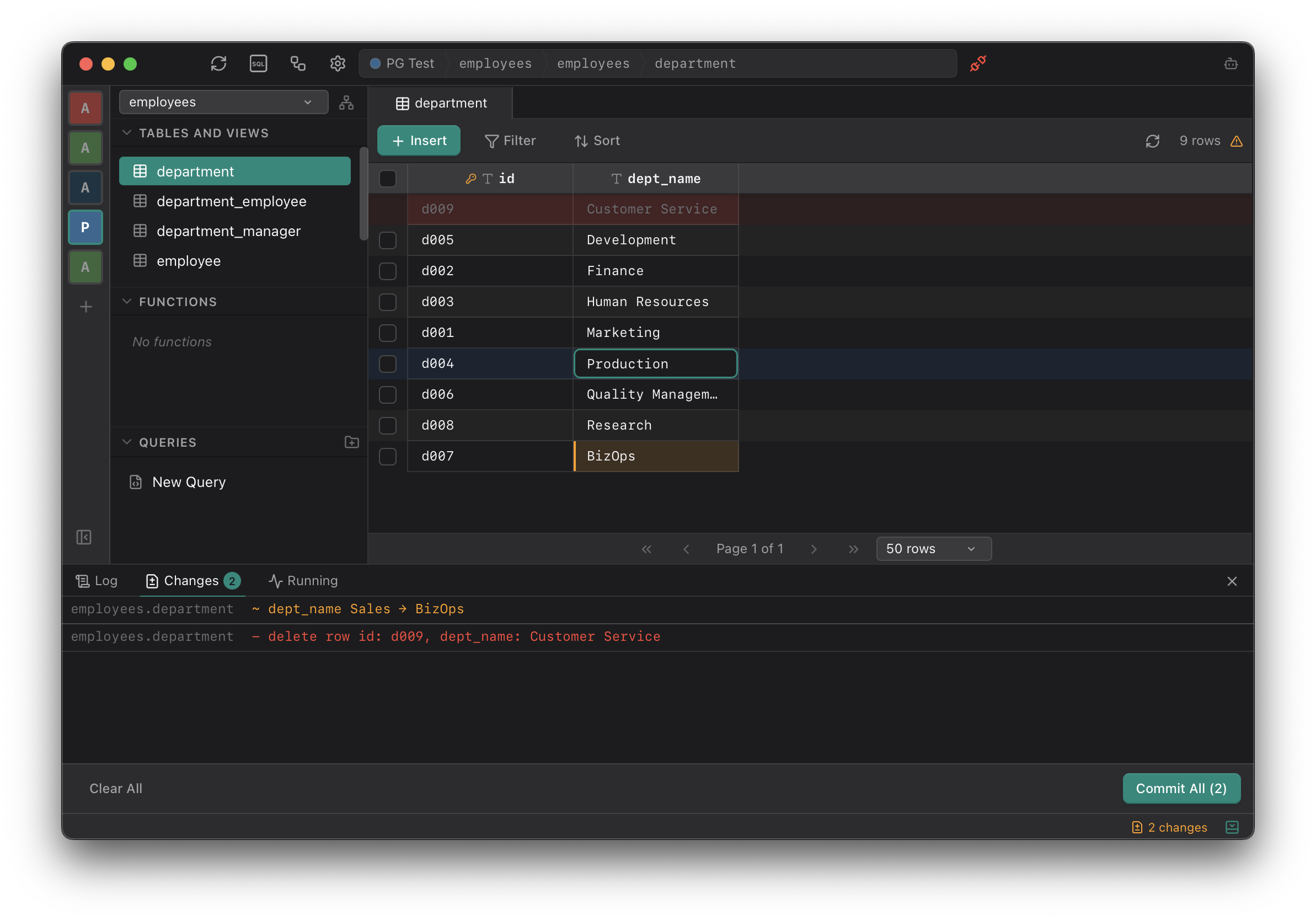
Table data is displayed in a virtualized grid with resizable columns. Rows load on demand to handle large datasets without lag.
Inline Editing
Clicking a cell makes it editable. Changes are staged locally and committed only when explicitly saved, allowing review before writing to the database.
Cell Editor
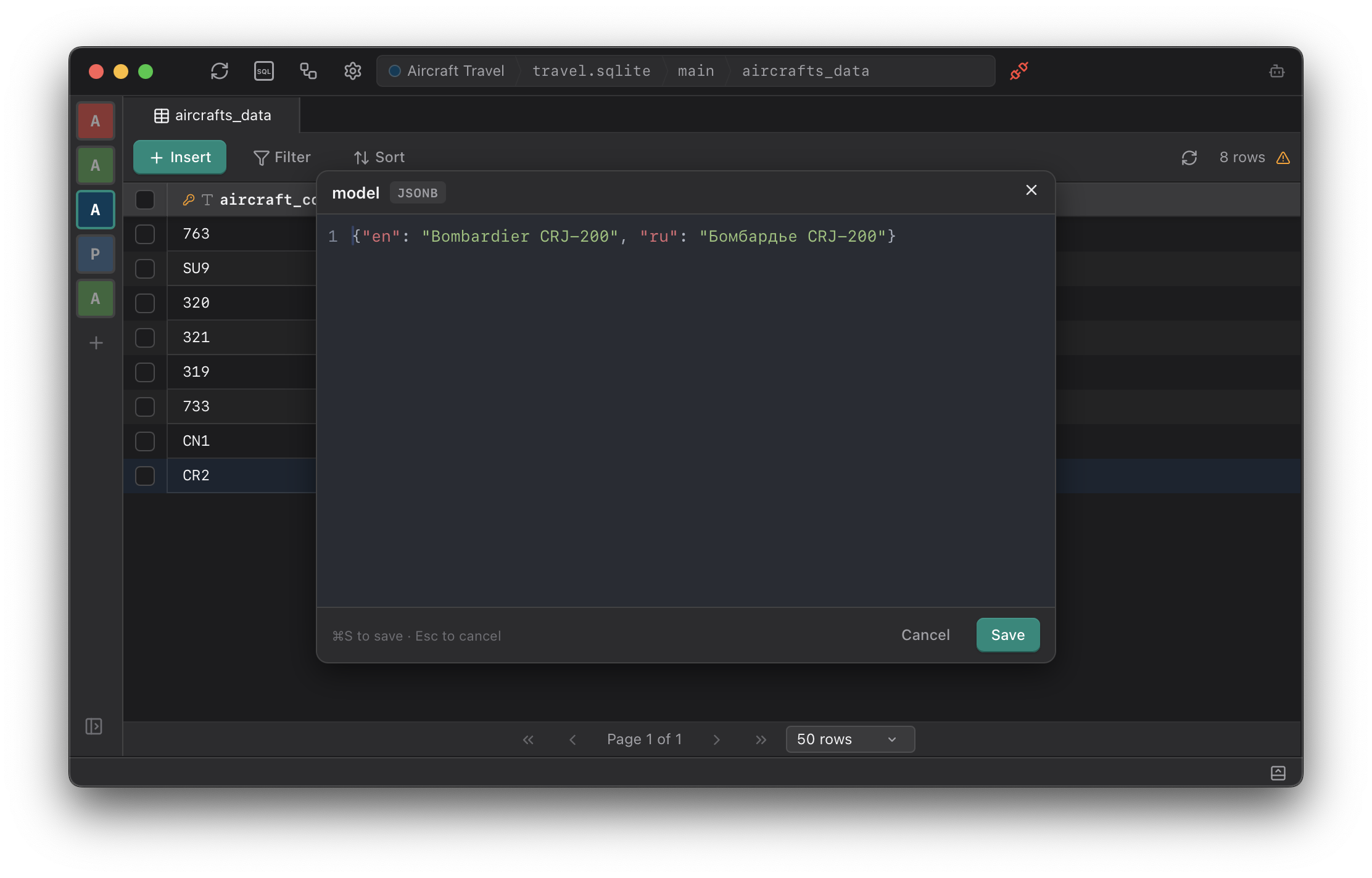
Columns containing structured data or long text can be opened in a popup editor with syntax highlighting and proper formatting. JSON and JSONB values are edited in a full-size editor with syntax highlighting and validation.
Row Detail Panel
Right-clicking a row opens a detail panel that displays all fields in a vertical layout. This is useful for tables with many columns that don’t fit in the grid view.
Row Focus
Rows can be highlighted by clicking or using arrow keys. Space toggles the selection checkbox on the focused row. Selected rows can be bulk deleted or exported from the toolbar.
Configurable Font Size
The data font size can be adjusted in Settings.